I am qsxcv. I have been studying, modding, and writing firmware for gaming mice for over a decade. Here are a few highlights from the past:
- Input lag measurements with microsecond precision
- Transplanting a microcontroller with custom firmware into a G100s
- A custom wireless mouse with lower latency than a top wired mouse
- First-ever demonstration of an 8 kHz wireless mouse
Now, I’m back after a long hiatus to announce XBAB Tech and our first mouse, XA25, which will be released in just a few months.
My partner and I founded XBAB Tech to share the knowledge and experience I’ve collected over the years with other enthusiasts in the form of actual products, rather than one-off mods. The core mission is simple: create gaming mice with the best possible objectively measurable performance (e.g., click latency, sensor latency, low weight). We achieve this by designing and engineering everything ourselves: firmware, configuration software, PCB layout, and shell design. Most new gaming mouse companies partner with OEMs/ODMs who provide nearly complete mice that just need a logo printed on. The result? Inexpensive mice with generic shapes and sub-optimal firmware. By contrast, keeping all the technical aspects in-house lets us truly innovate.
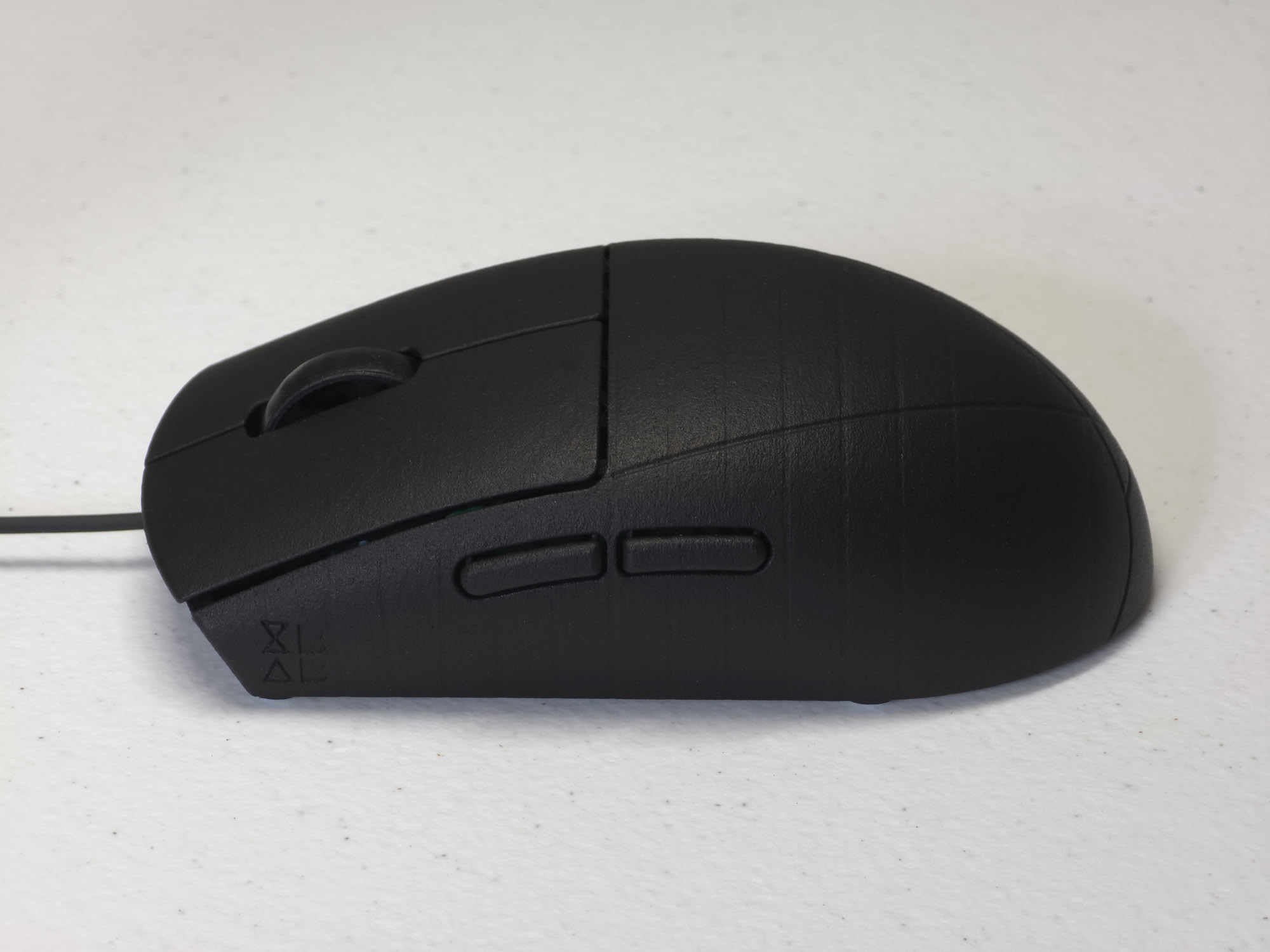
Which brings us to the XA25. The XA25 is a 25-gram, wired, 8000 Hz gaming mouse. This is THE lightest full-sized (>100 mm) gaming mouse, and its shell (117 x 63 x 36 mm) has no holes. How is this achieved? We’ll write more in an upcoming blog post on the mechanical design of the XA25. Simply put, while the rest of the mouse world is concerned with reducing weight by cutting out bits and pieces of their shells, sacrificing strength and rigidity in the process, we designed the XA25 from scratch in an additive fashion. The XA25’s shell contains just what is needed to ensure a stiff construction with no soft spots. Likewise, the PCB contains exactly the necessary components for a wired 8000 Hz mouse, packed tightly with minimal blank space and silkscreen.
The XA25’s PCB houses the best core components we could get our hands on. The sensor is a Pixart PAW3950, running at 20000 frames per second. The MCU is a Nuvoton M483 running at its max core frequency of 192 MHz. Most importantly, the MCU runs our custom firmware that achieves sensor and click latency with less than 3 microseconds of overhead beyond what’s theoretically possible for an 8000 Hz USB mouse. Stay tuned for the next post to learn about the firmware and its performance. For now, here’s a sneak peek that shows an oscilloscope plot of the timing from the last moment the button inputs are sampled to live data appearing on the USB wires.
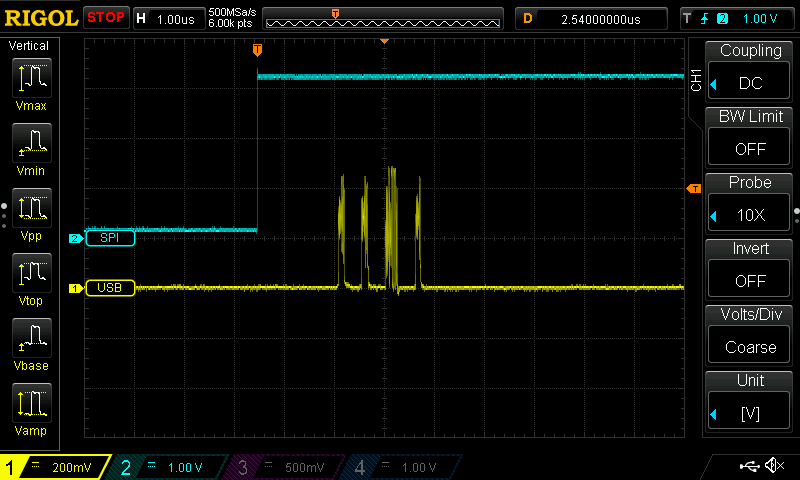
The rising edge of the blue SPI trace signals completion of reading sensor data and coincides with the last moment the buttons are sampled. The yellow USB trace shows four packets: Start of Frame, IN token (the “poll”), DATA packet (mouse’s reply), and ACK handshake (confirming receipt). So how much time is there between when the sensors and buttons are read, to the data physically in the USB cable? 2.54 μs.